







 Production-ready code, not a demo









No fees, no credit card, no expiring trial. Platforms like Base44 let you go from idea to a working app in minutes, with hosting, authentication, and a real database included on the free plan. Here’s exactly what “free” includes on each platform, so you know what you’re building with before you start.
 Our top picks for November 2026
 9.8
9.8

 Ready to use, instantly
Best Free AI App Builders Compared 2026
- Base44 — free plan includes 25 message credits and 100 integration credits per month, no credit card required. Covers authentication, database, and hosting out of the box. Publishes automatically to a base44.app subdomain in minutes from your first prompt. What’s NOT free: a custom domain, native App Store/Google Play publishing, and backend code export all require the paid Builder plan ($40/month billed annually) or higher. Credits reset monthly, running out pauses building or breaks live integrations until your next cycle or an upgrade.
- Lovable — free tier includes a limited number of monthly AI credits, enough to build and preview a working app with editable React code and a Supabase-powered backend. Publishing is available on a Lovable subdomain on the free plan. Custom domains, higher usage, and priority support require upgrading to a paid plan (starting at around $20/month). One advantage over Base44: even on the free tier, the code you generate is exportable.
- Bolt — free tier includes a monthly token allowance for AI generation, running in the browser (no local setup). You can export your project via GitHub or as a ZIP file, even on the free plan. Once you exceed your monthly tokens, generation pauses until reset or upgrade (paid plans from ~$25/month).
- Replit — free tier includes a public workspace and basic AI Agent access, with code visible rather than fully no-code. Best free option if you’re comfortable seeing and editing real code rather than a pure prompt-to-app experience. Private projects and higher AI usage require a paid plan.
- Glide — free for up to 500 rows and one published app, with Glide branding displayed. No credit-based limit — the constraint is your data size, not AI usage. Best free option if your app is built from an existing spreadsheet rather than generated from scratch with prompts.
- Adalo — free for up to 200 records, with Adalo branding included and no native app store publishing on the free tier. Best for testing a simple mobile app concept before committing to a paid plan.
Bottom line on “free”: every platform above lets you build and meaningfully test a real app at no cost. What differs is exactly where the line sits. Base44’s free tier is the most generous in terms of functionality (full backend, database, and auth included), but the most restrictive on credits and publishing; Bolt and Lovable export usable code even for free; Glide and Adalo cap by data size or records rather than AI usage. None of these requires payment to start. Note that credit amounts and pricing can change; always check the platform’s current pricing page before committing to a plan.

What Nobody Tells You About Building for Free
A few things worth knowing before you start, none of which are dealbreakers, but all worth planning around:
- Bad AI outputs still cost you credits. If a generation doesn’t come out right, that attempt still counts against your monthly allowance; it doesn’t get refunded. Write clear, specific prompts to avoid burning credits on retries.
- Free tiers aren’t built for real user load. They’re for testing and validating an idea, not running a live product with paying customers. Treat the free tier as a prototyping phase, not a permanent home for a real app.
- Backend lock-in is real on some platforms. Base44’s backend runs in its own managed environment, even on paid plans. If you ever need to migrate off the platform entirely, that typically means a developer rebuild, not a simple export.
- Running out of credits can stall a project mid-build. If you’re deep into building something and hit your monthly cap, you’re waiting for the reset or upgrading immediately. Plan your usage if you’re working toward a deadline.
When to Upgrade From Free
The free tier is the right choice for as long as you’re testing, validating, or prototyping. It’s time to consider upgrading when any of the following becomes true:
- You’re hitting your monthly credit or usage limit before you’re done building.
- You need a custom domain instead of a platform subdomain (base44.app, etc.) for a professional or client-facing launch.
- Real users — not just you testing — are starting to use the app regularly.
- You need to publish natively to the App Store or Google Play rather than a mobile-responsive web app.
- You need to export the backend or hand the project off to a developer.
Until then, there’s no reason to pay; every platform above lets you fully validate an idea before spending anything.
Most Recommended Free To Start AI App Builders for 2026
What Is an AI App Builder?
An AI app builder is a platform that uses artificial intelligence to help you design and launch fully functional applications without writing any code. These tools are typically part of a no-code platform, allowing you to describe your idea in plain language and instantly generate app features, layouts, and logic.
Instead of starting from a blank screen, you can choose from smart suggestions or templates and customize everything using a visual editor. Whether you’re creating a custom CRM, setting up a dashboard builder, or exploring ideas with prototyping tools, the AI handles the complex setup so you can focus on your business.
Many newer builders have their own proprietary AI models, such as Base44’s “vibe coding” model, where users type what they want, and the system interprets it using intelligent logic. If you’ve been wondering what vibe coding is, it’s this — AI translating your words directly into working software.
How to Make an App for Free: Step by Step
Here’s exactly how to build an app for free, no coding required:
- Pick a free AI app builder — use the comparison above. If you’re not sure, start with Base44’s free tier since it doesn’t require a credit card.
- Describe your app in plain language — tell the AI what it does, who uses it, and what problem it solves. For example: “a booking app for my salon with calendar scheduling and email confirmations.”
- Review the AI-generated result — the platform builds your app’s layout, database, and core logic automatically from your description.
- Refine using the visual editor — adjust colors, text, and layout without touching code, all within your free usage allowance.
- Test your app — most free tiers let you fully test your app before deciding whether to publish or upgrade.
- Publish or upgrade — some platforms let you publish for free with platform branding; a custom domain or app store publishing typically requires a paid plan.
Most people can go from idea to a working free app prototype in under an hour using this process — the AI handles the technical setup, so your time goes into refining the result rather than building it from scratch.
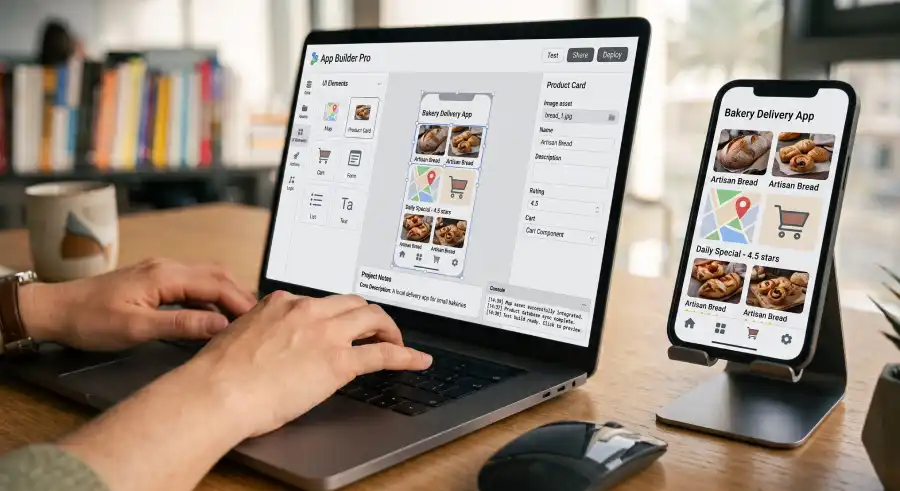
Top Free Use Cases for Small Businesses
AI app builders are designed to solve real problems for small businesses, many of the most common use cases can be fully tested for free:
- Internal tools and CRMs: build a custom CRM to track leads or a dashboard for internal KPIs, testing the full data model for free before committing to a paid plan.
- Client portals: create a secure client portal where customers log in and view files or data — test the login and data flow on a free tier before adding custom branding.
- Booking apps: build a simple booking app for a service business and test the full booking flow at no cost.
- Games and gamified apps: use a built-in game generator to prototype a loyalty app or gamified onboarding module before deciding whether to publish.
- Prototyping and MVPs: the free tier on most platforms is specifically designed for this — test a new product idea and collect feedback before any spend.
Best No-Code App Builder Free: What to Actually Compare
When comparing free no-code app builders, don’t just compare the word “free”, compare what each free tier actually unlocks:
- Usage limits: credit-based platforms (Base44, Lovable, Bolt) cap how much you can generate per month. Row-based platforms (Glide) cap your data size instead.
- Branding: most free tiers display the platform’s branding on your published app. Removing it requires upgrading.
- Custom domain: almost universally a paid feature. Free tiers publish to a platform subdomain.
- Backend and database included: Base44 and Lovable include a real backend and database on the free tier — not just a visual mockup. This matters if your app needs to store real user data, not just look functional.
- No credit card required: Base44 stands out here, you can test the full free tier without entering payment details upfront.
The best free AI app builder for you depends on what you’re testing: for a full-stack functional app, Base44 or Lovable. For a spreadsheet-based internal tool, Glide. For a simple mobile app mockup, Adalo.
How to Choose the Right Free AI App Builder for Your Needs
Not every free tier serves the same purpose. Here’s how to narrow it down:
- Ease of use: if you’re not technical, look for a no-code platform with a simple visual editor and no exposed code. Base44 and Lovable lead here.
- What you’re building: a CRM or dashboard needs a real backend and database (Base44, Lovable). A spreadsheet-based tool is faster on Glide. A simple mobile mockup works fine on Adalo’s free tier.
- How much you’ll use it before deciding to pay: credit-based free tiers work well for short, focused testing. If you need to iterate over weeks, check how quickly you’ll hit the free usage cap.
- Publishing requirements: if you need a custom domain or app store listing soon, factor the eventual paid upgrade into your decision now rather than after building.
Free App Creator, Maker, or Builder: Does the Term Matter?
Whether you search for a free app creator, a free app maker, or a free app builder, you’re looking for the same things. The platforms above answer to all three. A few naming quirks worth knowing:
- An AI app creator free tool and an AI app maker free tool typically mean the same as an AI app builder; Base44, Lovable, and Bolt all market themselves interchangeably across these terms, depending on the campaign or audience.
- A free AI app developer is sometimes used to describe the same no-code platforms, though technically an “app developer” implies a person, not a tool — most people using this phrase are looking for the same AI-powered builders listed here.
- A free app builder and publisher means you want both generation and deployment included at no cost. Base44 and Lovable both include publishing to a platform subdomain on their free tiers — full app store publishing typically requires upgrading.
- An AI that creates apps for free describes the core function of every platform on this page — you describe your idea, the AI creates the app, and you test it without paying.
Looking to Build a Website for Free Instead?
If your goal is a website rather than a functional app with a backend and database, the process is similar, but the tools differ slightly. Free AI website builders and AI website maker free tools like Wix and Durable generate a complete site — pages, copy, and images — from a text prompt, with free plans that publish to a platform subdomain. If you’re not sure whether you need an app (with logic, user accounts, and data) or a website (primarily informational pages), the deciding factor is usually whether your project needs to store or process user data; if yes, you need an app builder; if no, a website builder is simpler and faster.
Why Use an AI App Builder for Your Business?
- Speed and simplicity: go from idea to a working app in hours, testable entirely within a free tier.
- No upfront cost: validate your idea before spending anything — most platforms let you build and test the full core functionality for free.
- No technical background required: describe your app in plain language and let the AI handle the setup.
- Room to grow: start free with an MVP, then upgrade only once you know the app is worth investing in.
Conclusion
If you’re ready to build an app without spending anything up front, an AI app builder is the smartest place to start. Base44 and Lovable offer the most complete free experience for full-stack apps with a real backend. Glide is the fastest free option if your data already lives in a spreadsheet. Whatever you choose, use the free tier to genuinely test your idea. The moment it proves valuable, upgrading makes sense.
Our top picks for November 2026
Frequently Asked Questions
Q. What happens when I run out of free credits?
A. Building pauses or live integrations stop working until your credits reset the following month, or you upgrade to a paid plan immediately. Your existing app and data aren’t deleted; you just can’t make new changes or generate new features until credits refresh or you upgrade.
Q. Is my data safe on a free plan?
A. Yes, on the platforms listed here — free tiers use the same underlying database and authentication infrastructure as paid plans, not a stripped-down or less secure version. That said, free-tier apps are best treated as prototypes rather than production systems handling sensitive customer data at scale; move to a paid plan once real users and real data are involved.
Q. Can I really build an app for free?
A. Yes. Base44, Lovable, Bolt, Replit, Glide, and Adalo all offer genuine free tiers that let you build and test a real, functional app, not just a demo. Limits vary: some cap monthly AI generation credits, others cap data size or publishing options. None requires payment to start building.
Q. What’s the best free AI app builder?
A. Base44 offers the most complete free experience — 25 message credits and 100 integration credits per month, no credit card required, with authentication, database, and hosting included. Lovable is a strong alternative if you want exportable code even on the free tier. For spreadsheet-based tools, Glide’s free tier (up to 500 rows) is the fastest path to a working app.
Q. How do I make an app for free without coding?
A. Use a no-code AI app builder like Base44 or Lovable. Describe your app in plain language, let the AI generate the structure, refine it in the visual editor, and test it all within the free tier. No programming knowledge is needed at any step.
Q. Is there a catch with free AI app builders?
A. The main limitations are usage caps (monthly AI generation credits or data row limits), platform branding on your published app, and no custom domain until you upgrade. For testing and validating an idea, these limits rarely get in the way; they become relevant once you’re ready to launch publicly.
Q. What’s the best no-code app builder free option for a business CRM?
A. Base44’s free tier includes a real backend and database, making it the strongest free option for building a functional CRM prototype. Glide is a good free alternative if your customer data already lives in a spreadsheet.
Q. Do I need a credit card to try a free AI app builder?
A. No, not with Base44 — its free tier requires no credit card to start building. Some other platforms may ask for payment details upfront, even on a free trial, so check before signing up if this matters to you.
Q. Can I publish my free app to the App Store or Google Play?
A. Usually not on the free tier. Most platforms, including Base44 and Adalo, require a paid plan to export or publish natively to app stores. Free tiers are built for testing and validating your app, not for public app store distribution.
Q. What’s the difference between a free trial and a free tier?
A. A free trial gives you full access to a paid plan for a limited time before you’re required to pay. A free tier (like Base44’s or Glide’s) is permanently free with specific usage limits — no expiration date, but a capped feature set. All the platforms recommended on this page offer a genuine ongoing free tier, not just a time-limited trial.
