


Shopify Sidekick
About the brand
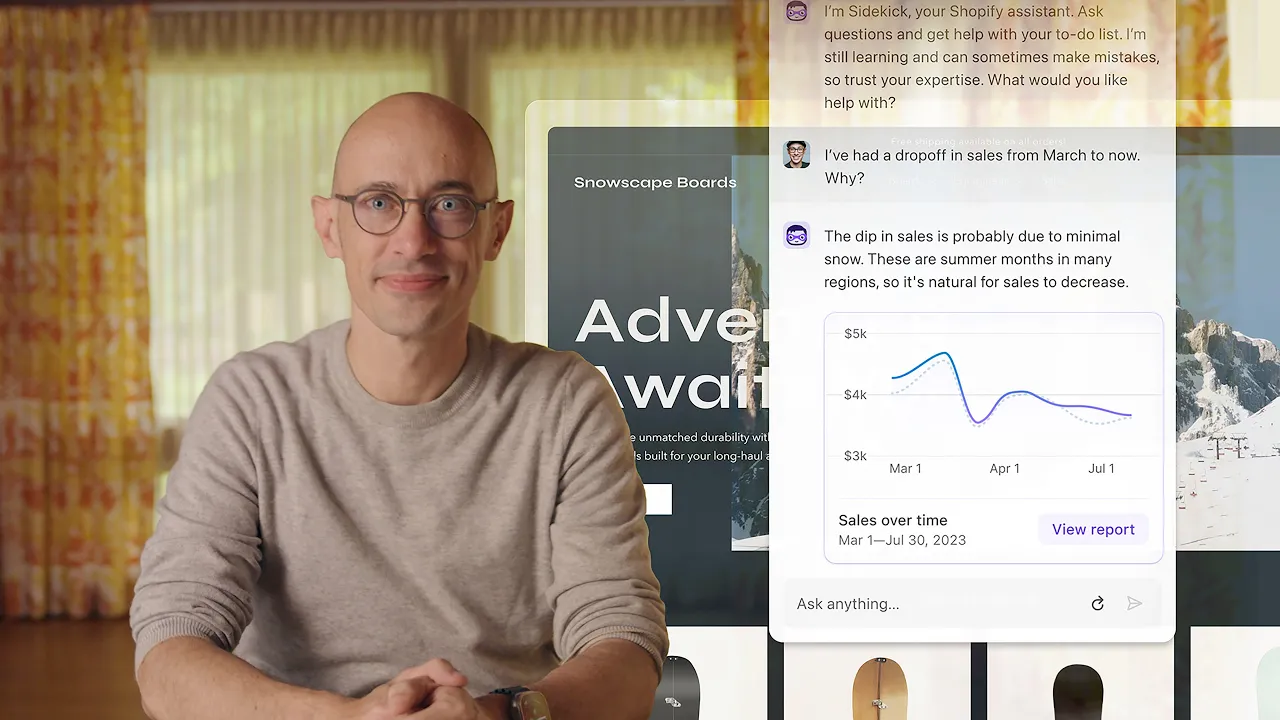
Shopify is one of the most widely used commerce platforms in the world, helping businesses build online stores and sell across multiple channels from one place. Over the years, the platform has expanded far beyond basic ecommerce, adding tools for point of sale, marketing, analytics, B2B selling, automation, and now AI-powered store management. Sidekick is Shopify’s AI-enabled commerce assistant built directly into the Shopify admin. You can use it to ask questions, get gui...dance, generate content, review analytics, manage orders, create discounts, edit products, build customer segments, and even generate custom internal apps using plain language. Sidekick is also designed to be accessible across devices. Users can interact with it through text, voice mode, and even screen sharing on desktop for step-by-step guidance. It is also available on mobile, and voice mode can be used through Apple Watch, which makes it useful for store owners who need quick answers or support while away from their desk. Read more
Price
Ease of use
Features
Service
Overall
Pros
-
 Built directly into the Shopify admin
-
Available across all Shopify plans
-
Understands store context and the page you are working on
-
Can help with content, discounts, customer segments, reports, workflows, and product tasks
-
Supports text chat, voice mode, mobile, and Apple Watch
-
Can generate custom internal apps using plain language
Cons
-
 App generation is only available on desktop
-
Generated apps only work inside the Shopify admin
-
Hourly and weekly limits apply to app generation
In-depth review
Customer Service
Shopify offers a robust range of customer service options, headlined by a massive Knowledge Base full of detailed guides, tutorials, and documentation that far exceeds what most e-commerce platforms typically provide. For direct assistance, 24/7 Chat Support is standard across all Shopify subscription tiers to help users with account, store, billing, or technical issues at any time of day. However, premium channels like Phone Support and dedicated Email Support are restricted exclusively to Shopify Plus merchants. Additionally, because the platform boasts a massive app ecosystem, users can also look to specialized Third-Party App Support directly from independent plugin developers to troubleshoot specific store integrations.

Phone Support
Phone support is available for Shopify Plus users only

Live Online Chat
24/7 chat support is available across all plans

Email support is available for Shopify Plus plan
Maab Saleem
We make the best effort to present up-to-date information; however, the terms of each offer can be revised according to the service provider’s discretion. The above shall not be considered as an expert or professional advice for any matter.
Price
Ease of use
Features
Service
Overall

Thank you!