

How to Convert Figma Designs and URLs to Live Apps in Base44 2026
Daniel Zvi
 190
190
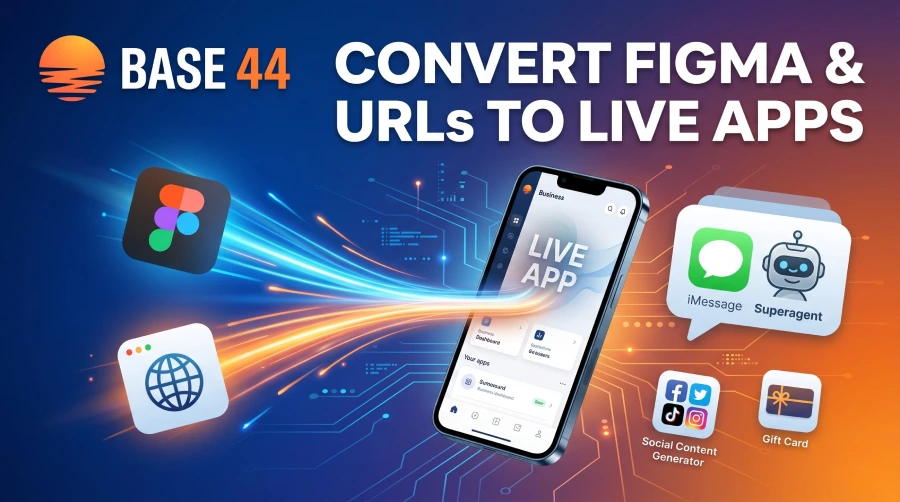
If you want to convert a Figma design or an existing website URL into a fully functioning app, Base44 now allows you to do this in a single click without any coding. By pasting a Figma frame link or choosing the "Start from URL" option in the Base44 chat, the AI instantly bridges the gap from a static picture or website to a live, working application. You can choose to import just the visual design style or grab both the content and design together. Alongside these powerful imports, the latest Base44 update introduces one-click app makeovers, a central asset library, and the ability to control your AI Superagent directly from iMessage, making it easier than ever to build, launch, and manage an app.
The End of "Ugly" AI Apps
For a long time, the hardest part of using an AI app builder was trying to describe exactly what you wanted it to look like using words. If you weren't a professional prompt engineer, your app often ended up looking a bit clunky.
With the newest update, you no longer have to describe your vision—you can just show it to the AI. Whether you hired a designer, bought a template, or just saw a website you loved, you can now bring those exact visuals straight into Base44. Here is the step-by-step guide on how to use the new design toolkit.
Method 1: The "Figma to Base44" Bridge
If you or a designer have already built a beautiful mockup in Figma, you don't have to spend weeks manually rebuilding all those buttons, menus, and layouts inside your app builder.
Step-by-Step Guide:
- Open Your Figma File: Make sure your design is organized into a clean "Frame."
- Copy the Link: Click the share button in Figma and copy the direct link to that specific frame.
- Paste into Base44: Open your Base44 chat prompt and paste the Figma link.
- Hit Generate: The platform reads your design and immediately turns it into a live, clickable app.
Best Practice Tip: Keep your Figma files relatively clean. Group your buttons and text properly so the AI knows exactly how your app is supposed to flow!
Method 2: The "URL to App" Feature
What if you don't have a Figma file, but you saw a website with a layout you absolutely love? You can borrow that layout with a single link.
Step-by-Step Guide:
- Find Your Inspiration: Copy the web address (URL) of the site you want to pull inspiration from.
- Click the Plus Button: Inside the Base44 chat, click the + icon.
- Select "Start from URL": Paste the link into the prompt.
- Choose Your Import Style:
- Design Only: Choose this if you just want to grab the visual style (like the colors, spacing, button shapes, and font vibes) to use for your own original idea.
- Content & Design: Choose this if you want to clone the whole site exactly as it is, text and all, so you can tweak it from there.
 Our top picks for October 2026

 Ready to use, instantly
Base44 Import Methods: Which One Should You Use?
| Import Method | Who is it best for? | What does it actually do? | The Big Benefit |
| Figma to Base44 | Founders working with a designer. | Turns a static Figma frame directly into a clickable, live app. | Saves days of manually rebuilding buttons and menus. |
| URL (Design Only) | People who aren't designers but know what they like. | Clones the layout, colors, and fonts of a website you love. | Saves thousands of dollars on hiring a UX designer. |
| URL (Content & Design) | Anyone upgrading an old, clunky website. | Copies the entire website, including both the look and the text. | Saves weeks of boring copying and pasting. |
The Complete Design Toolkit (One-Click Makeovers)
Base44 didn't just add import tools; they completely rebuilt how you shape your app's look from the inside out. Even if you aren't a designer, you can now make your app look like it was built by an expensive tech agency.
App-Wide Themes
Forget about changing the color of fifty different buttons one by one. You can now set your colors, typography (fonts), and overall style across your entire app from one central place. You tweak the vibe once, and it automatically carries through everywhere.
Regenerate and Remix
If you generate a page and you don't love it, you don't have to start from scratch. You can hit the new "Remix" button to regenerate the design for your full app, a single page, or even just one specific component. This is incredible if you are building an app for a client and want to hand them multiple different design options to choose from in seconds.
The New Asset Library
There is finally a dedicated home for all your files. You can upload images, documents, and data files, or have the AI generate brand-new images for you on the fly. You can easily pull these into your app using the new Replace Image button right in the visual editor, or from the + menu in the chat.
Beyond Design: Running Your Business on iMessage
Once your app looks beautiful and goes live, you actually have to run it. Base44's famous "Superagent"—the AI assistant that actually does work for you in the background—just got a massive upgrade too.
Your Superagent now lives on iMessage. You can ask a question, kick off a task, or check in on an automation directly from the Messages app on your iPhone. This joins the growing list of places your Superagent can live, which already included WhatsApp, Telegram, Slack, and your browser.
Case Study: 30 Clients, No Team, One Superagent
To understand how powerful this is, look at Tyrone Blode, a solo consultant from Melbourne. Every solo business owner eventually hits a wall where they have to hire people just to handle the busywork. Tyrone didn't hire a person; he built a Superagent named Maddie.
Tyrone runs 30 active client projects completely solo. Maddie the Superagent runs the rest of the business. She sends weekly client updates from his CRM via Gmail. She handles his accounting. She pulls daily SEO reports. She even publishes his LinkedIn content. Tyrone never touches any of it.
One Friday night, he sent Maddie a long voice memo about the campaigns and outreach he needed for the week ahead. Her reply? "It's Friday night. Kick your feet. I'll have everything ready by 8am Monday. You need to rest." And by 8 AM Monday, it truly was ready.
Our top picks for October 2026
Launching and Sharing Your New App
Building the app is only half the battle. Base44 added two new features to help you get your idea out into the world.
1. From App to Social Post in Seconds
When your app is built, open the new Social Content tab. Just answer a couple of simple questions, and the AI will generate full social media posts—complete with images—tailored perfectly to your app. It creates versions for LinkedIn, X (Twitter), and more, which you can refine and post without ever leaving Base44.
2. Gift Someone the Ability to Build
Know someone sitting on a great idea but they won't pull the trigger? You can now send them a nudge with a Base44 Gift Card. You pick a design, write a personal note, choose a dollar amount, and send it over. They can apply it toward any Base44 plan and start building right away.
Finding the Right App Builder for Your Next Project
The days of needing to hire a full-time designer and developer to launch a business are over. By allowing anyone to paste a Figma link or a website URL and get a live app in return, Base44 has removed the biggest roadblock for non-technical founders. Add in a Superagent that you can text from your iPhone, and you have an entire digital agency sitting in your pocket.
Ready to get your idea off the ground?
👉 Read our Full Base44 Review Here
Frequently Asked Questions
Q: How do I turn my Figma file into an app?
A: It is a one-step process. Inside Base44, simply paste your Figma frame link into the chat prompt, hit generate, and the platform will convert your visual design into a functional, live app.
Q: If I copy a URL, is it stealing someone's website?
A: Not necessarily. If you use the "Start from URL" feature and select "Design only," you are simply teaching the AI to mimic the layout, spacing, and color style of the site, which you can then apply to your own completely original content and ideas.
Q: How do I change the colors across my whole app?
A: Base44 now has "App-wide themes." You set your primary colors and typography in one place, and it updates the styling across your entire application instantly.
Q: Can I really text my Base44 AI assistant?
A: Yes! With the latest update, you can connect your Superagent to iMessage. You can text it to pull reports, send emails, or check on background tasks just like you would text a coworker.
Q: Can I use this to make social media posts?
A: Yes. The new Social Content tab looks at the app you just built and automatically generates written posts and images tailored for platforms like LinkedIn and X.
Liked this article?
Daniel Zvi
Smart Recommendations





Thank you!