

Can No-Code Apps Use Real Code? The Rise of “Hybrid” AI Development
Daniel Zvi

"Hybrid AI Development" (often referred "Vibe Coding") is a new approach to app building that combines the speed of drag-and-drop tools with the infinite flexibility of raw code. The main benefit is removing the "No-Code Ceiling"—the moment where you cannot build a specific feature because the platform doesn't offer it out of the box.
Why Pure "No-Code" Eventually Fails
For 90% of projects, standard no-code blocks (forms, lists, buttons) are enough. But as your business scales, you will inevitably hit a wall.
- The UI Limit: You need a specific type of heatmap or 3D visualization that the builder doesn't have.
- The Logic Limit: You need a complex financial algorithm or a specific encryption standard.
In the past, hitting this wall meant rewriting your entire app in code. Today, "Hybrid" builders let you inject code libraries into your visual app.
How to Use NPM Packages in AI Builders (Step-by-Step)
Thanks to recent updates in the industry, you no longer need to be a senior developer to use professional code libraries. You can now use NPM (Node Package Manager)—the world's largest software registry—inside visual builders.
1. Identify the "Missing Piece"
Don't write code from scratch. Search the NPM registry for a pre-made solution.
- Example: You need a rich-text editor for your CMS app.
- Solution: Instead of building one, look for a package like react-quill or editor.js.
2. "Prompt" the Installation
This is where "Vibe Coding" comes in. You don't need to use a command line. In advanced AI builders, you simply tell the AI:
- "Install the 'chart.js' package and create a line graph of my sales data."
- "Add 'date-fns' to format all timestamps to local time zones."
The AI handles the "dependency injection"—connecting the code library to your visual database automatically.
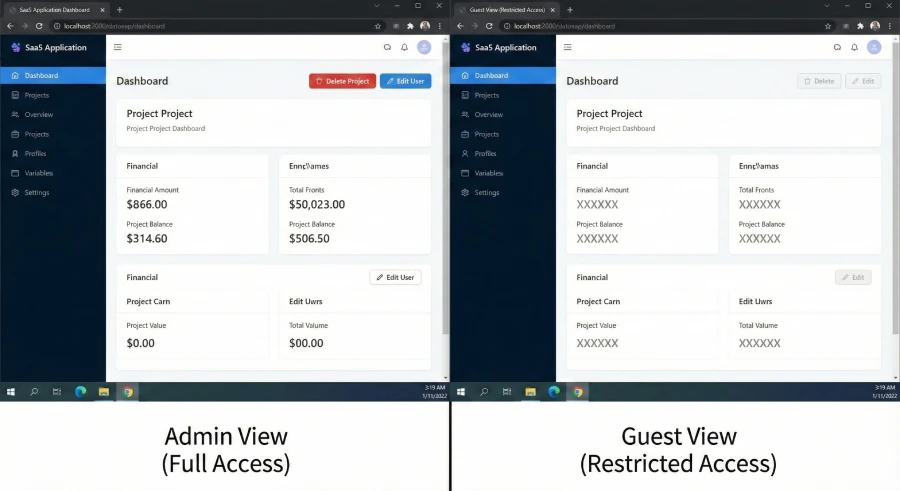
3. Debug with "Act As" Mode
Adding external code can sometimes mess up permissions. You need to verify that the new library works for every user role.
- The Strategy: Use an "Act As User" feature. Switch your view to "Junior Admin" or "Guest."
- The Goal: Ensure the new chart or tool loads correctly for them, not just for you (the Super Admin). This simulates the real-world experience and catches bugs instantly.
What Tools or "Tech Stack" Do I Need?
To build a Hybrid app, you need a specific stack that supports "Code Injection."
- The Hybrid Builder: You need a platform that allows NPM imports. (Most basic builders like Glide or Softr do not allow this).
- The Automation Layer: Zapier Copilot. While your app handles the frontend code, use Zapier's new AI assistant to handle multi-app workflows (like sending data from your app to Mailchimp).
- The Package Registry: NPMJS.com. This is your catalog. Treat it like an "App Store" for code snippets.
 Our top picks for April 2026
 9.8
9.8


 Ready to use, instantly


What Are the Advanced Mistakes to Avoid?
Just because you can add code doesn't mean you always should.
- The "Bloat" Trap: Every NPM package you add increases your app's load time. Do not install a massive library just to format a date. Ask the AI: "Is there a lighter package for this?"
- The Version Conflict: Libraries update constantly. Ensure your builder supports "Version Locking" so an update to a library doesn't break your live app.
- Ignoring "Generic" Users: If you install a specialized UI package, it might look great on your desktop but break on mobile. Always test responsive design when using custom code.
Can Software Automate "Coding"?
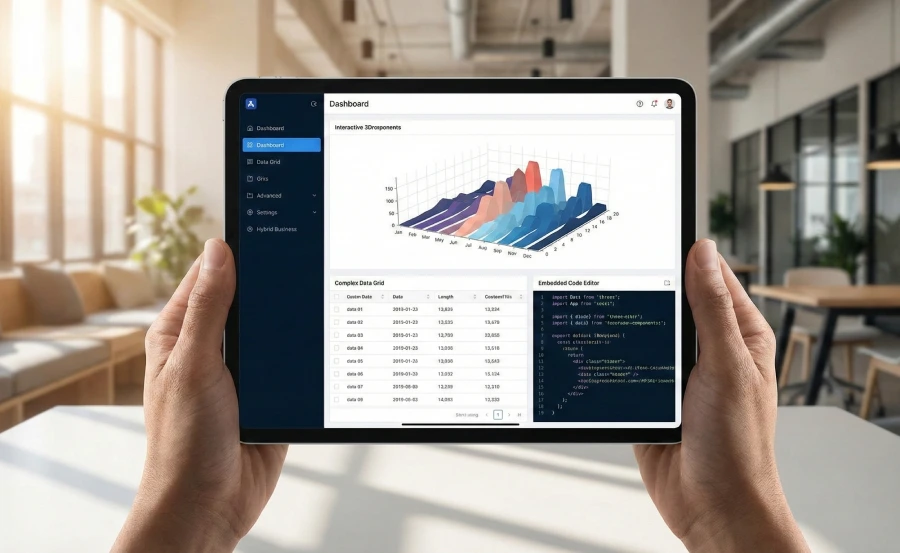
We are entering the era of "Vibe Coding," where the barrier between "Coder" and "User" is dissolving. You don't need to know syntax; you just need to know what you want.
While most builders lock you into their "Walled Garden," Base44 [Read our Base44 Review] has just released a major update that supports full NPM Package Integration.
- For Coders: Import your favorite libraries (charts, design systems, AI utilities).
- For Non-Coders: Just ask the chat. "Add a signature pad" -> Base44 finds the package and installs it.
- Team Scale: They also introduced Workspace Templates, effectively acting as a "Lego system" for your team to reuse these hybrid components.
Our top picks for April 2026
Internal Resources
- Hub Page: Compare the flexibility of the Best AI App Builders.
- Review: See how Base44 compares to purely no-code tools.
Frequently Asked Questions
Q: Do I need to know JavaScript to use NPM packages?
A: Not anymore. With AI-driven builders, you act as the "Project Manager." You tell the AI which package to use, and it writes the glue code to make it work.
Q: What happens if I make a mistake with the code?
A: Look for builders with "One-Click Revert" or "Version History." This allows you to instantly roll back to a previous version if a new package breaks your app.
Q: Can I use this for secure data?
A: Yes, but be careful. Only use trusted NPM packages with high download counts. Avoid obscure libraries that might have security vulnerabilities.
Liked this article?
Daniel Zvi
Smart Recommendations


Thank you!