

Why Apple Rejects AI Apps: How to Fix “Design Spam” 4.2.6 & Get Published
Daniel Zvi
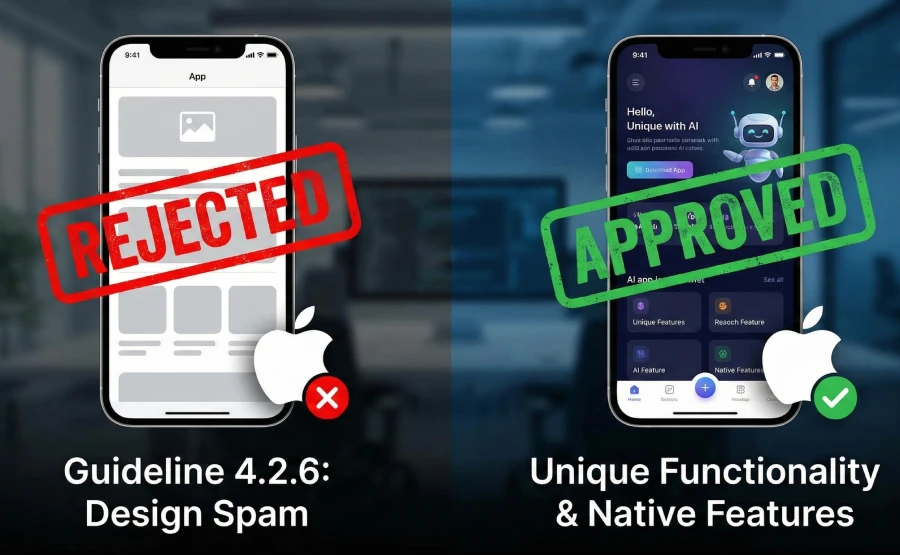
Design Spam (Guideline 4.2.6) is a specific Apple App Store regulation that rejects apps created from "commercialized templates" or "app generation services" that lack unique functionality. The main benefit of understanding this rule is avoiding the "WebView Trap"—where Apple flags your app as just a repackaged website—ensuring your AI tool actually reaches the marketplace.
What is "Design Spam" and Why Does Apple Hate It?
Apple’s App Store Review Guidelines are notorious for being vague, but Guideline 4.2.6 is the primary killer of AI-generated apps. In plain English, Apple states: "Apps created from a commercialized template or app generation service will be rejected."
When you use a low-quality AI builder, it often wraps your website in a generic container (known as a "WebView"). To Apple, this looks like spam. They want apps to feel "native"—using the phone’s camera, gyroscope, or haptics—rather than just displaying text on a screen.
The Hidden Costs of Ignoring Guideline 4.2.6
If you ignore this and try to submit a basic AI wrapper, the costs go beyond a simple "No."
- Account Flagging: Repeated submissions of "spammy" apps can get your entire Apple Developer Program account ($99/year) banned.
- Development Limbo: You might spend weeks building features, only to realize the core architecture of your chosen builder makes publication impossible.
- Brand Reputation: Launch delays effectively kill the momentum of a new startup.
 Our top picks for April 2026
 9.8
9.8


 Ready to use, instantly


How do I Fix a 4.2.6 Rejection? (Step-by-Step)
If you have received the dreaded rejection email, do not panic. You do not always need to rebuild from scratch. Follow this recovery process.
1. Audit Your "Native" Features
Apple wants to see that your app needs to be an app.
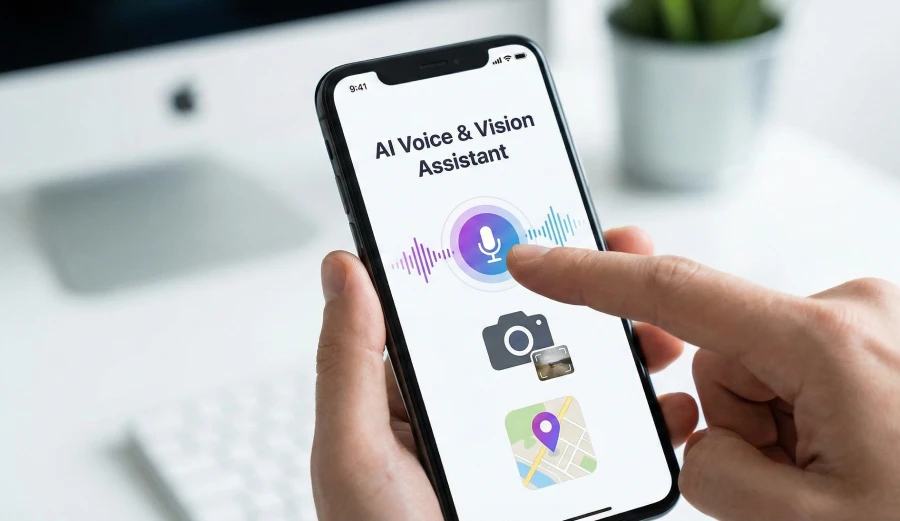
- Action: Add features that a website cannot do easily. Does your AI app use the microphone for voice prompts? Does it use Push Notifications for alerts?
- Detail: Simply adding a "Contact Us" button is not enough. You must integrate deep linking or offline capabilities. If your app requires the internet to function 100% of the time and offers no offline value, it is at high risk.
2. Remove the "Web Wrapper" Feel
Standard HTML/CSS buttons often feel "laggy" on iOS.
- Action: If you are using a builder, ensure it renders Native Components, not just web views.
- Detail: Check your navigation bar. Does it look like a website menu, or does it use the standard iOS tab bar at the bottom? Switching to a native navigation structure is often enough to pass a manual review.
3. Submit a "Concept Document" in the Resolution Center
Do not just re-submit the same binary. Talk to the reviewer.
- Action: In the App Store Connect "Resolution Center," attach a PDF explaining why your app uses a template but offers unique content.
- Detail: Explain that while you used an AI builder for the framework, the data and AI Logic are unique to your brand. Explicitly state: "This app provides a curated experience distinct from the general web."
What Tools or "Tech Stack" Do I Need?
To pass the Apple Review Board, you need tools that simulate a true mobile environment, even if you are using No-Code.
- TestFlight: (Free) Essential for testing your app on real devices before submission. If it feels like a website here, it will be rejected.
- Review Board Simulators: (Paid) Services like BrowserStack allow you to test your app on different iPhone sizes to ensure the layout doesn't break (another common rejection reason).
- Compliance Checkers: Tools like AppScanner can sometimes flag deprecated code that AI builders might accidentally include.
- Design Systems: Use Human Interface Guidelines (HIG) templates (available in Figma) to ensure your UI looks like an Apple product.
What Are the Advanced Mistakes to Avoid?
Even pro developers fall into these traps when using AI tools.
- The "Hidden" Login Wall: Apple demands to see the app before logging in. If your AI app forces a user to sign up immediately without showing any value or content first, it violates Guideline 5.1.1. Always offer a "Guest Mode."
- Mentioning "Beta" or "Android": Never leave placeholder text that mentions "Beta testing" (Apple only accepts finished products) or references Android/Google Play in your copy. This is an instant rejection trigger.
- In-App Purchase Circumvention: If your AI app sells a subscription (SaaS), you must use Apple's In-App Purchase (IAP) system. If you try to link to a Stripe checkout on your website to avoid the 30% fee, you will be rejected under Guideline 3.1.1.
Can Software Automate Compliance?
Manual coding ensures compliance, but it is slow and expensive. The "Walled Garden" fear is real—many cheap AI builders result in code that Apple hates. However, modern "Pro" builders have solved this.
They don't just "wrap" a website; they generate clean code that compiles into a true binary. This satisfies Apple's requirement for unique functionality.
Tools like Base44 [Read our Base44 Review] specialize in handling this native compilation. They automatically generate the native navigation and architecture Apple looks for, significantly lowering your risk of rejection.
Our top picks for April 2026
Internal Resources
- Hub Page: Check out our main guide on the [Best AI App Builders] to see which platforms offer native code export.
- Review: Read our full analysis of [Base44] to understand its compliance features.
Frequently Asked Questions
Q: Does Apple ban all AI-generated content?
A: No. Apple bans spammy-generated apps. If your AI generates unique value (like custom images or text) for the user, it is allowed. You must just declare that you use AI in the submission forms.
Q: How long does the appeal process take?
A: If you submit an appeal to the App Review Board, it typically takes 48 to 72 hours to get a response.
Q: Can I use a web wrapper if I have a small business?
A: Generally, no. Apple suggests using a Website or a PWA (Progressive Web App) for simple business info. To be on the App Store, you need interactive features.
Q: What is the "4.2.6" rule?
A: This is the specific clause in the guidelines that prohibits apps created from commercialized templates without significant modification.
Q: Do I need a Mac to publish my AI app?
A: Traditionally, yes, but many cloud-based AI builders now handle the "signing" and submission process via the cloud, so you can publish from a Windows PC.
Liked this article?
Daniel Zvi
Smart Recommendations


Thank you!